
The Outlook Mail Add-On is a robust email management solution that integrates directly with Microsoft Outlook using secure Azure authentication. It offers real-time access to all email folders like Inbox, Sent, Drafts, Junk, and Archive, right from your dashboard. With features like threaded conversations, HTML email composition, quick replies, attachments, and folder organisation, this add-on helps teams manage Outlook emails effortlessly and stay productive without switching platforms.

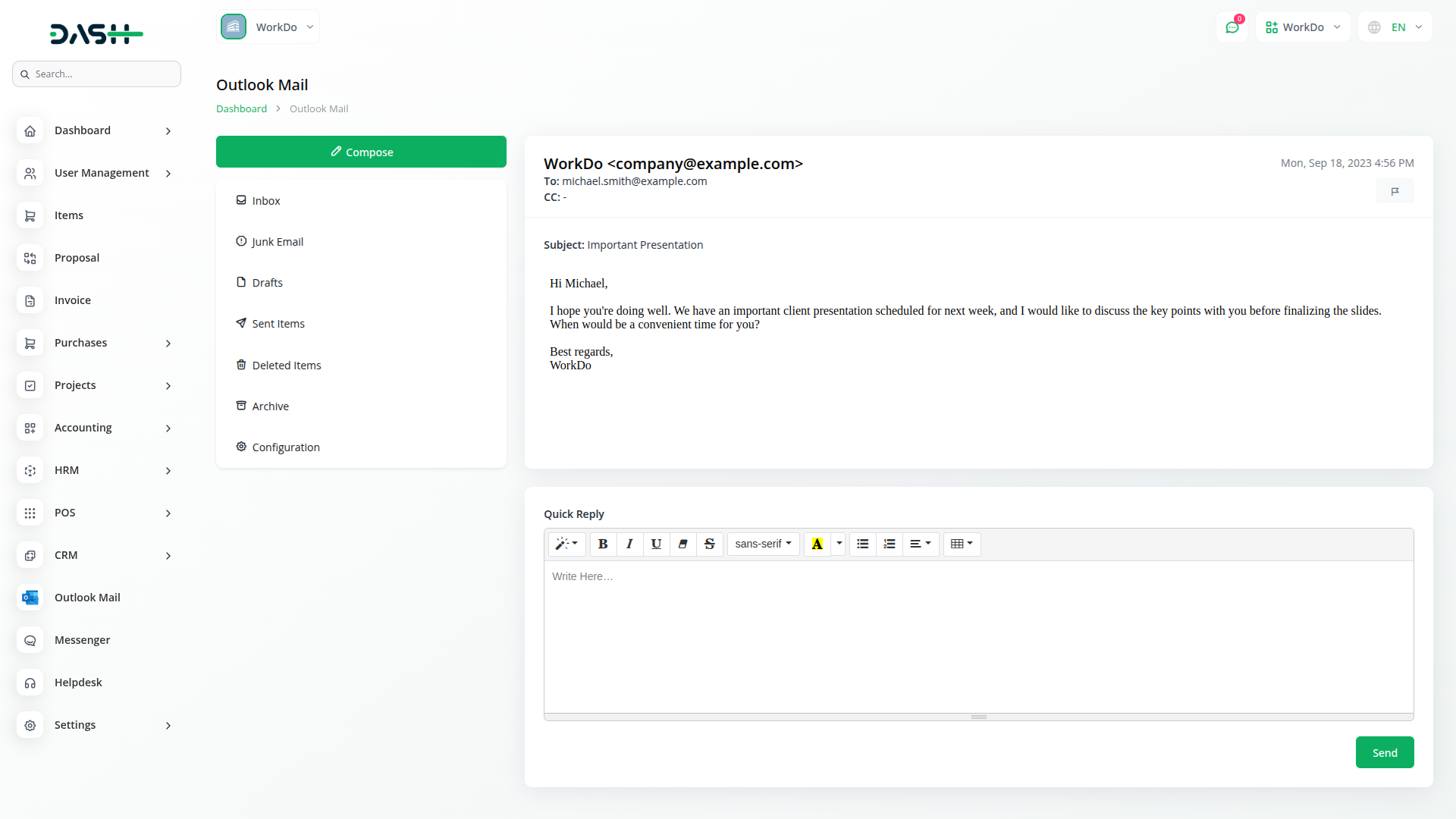
Access all your Outlook emails in one place with folder sync, conversation view, and secure Azure login.
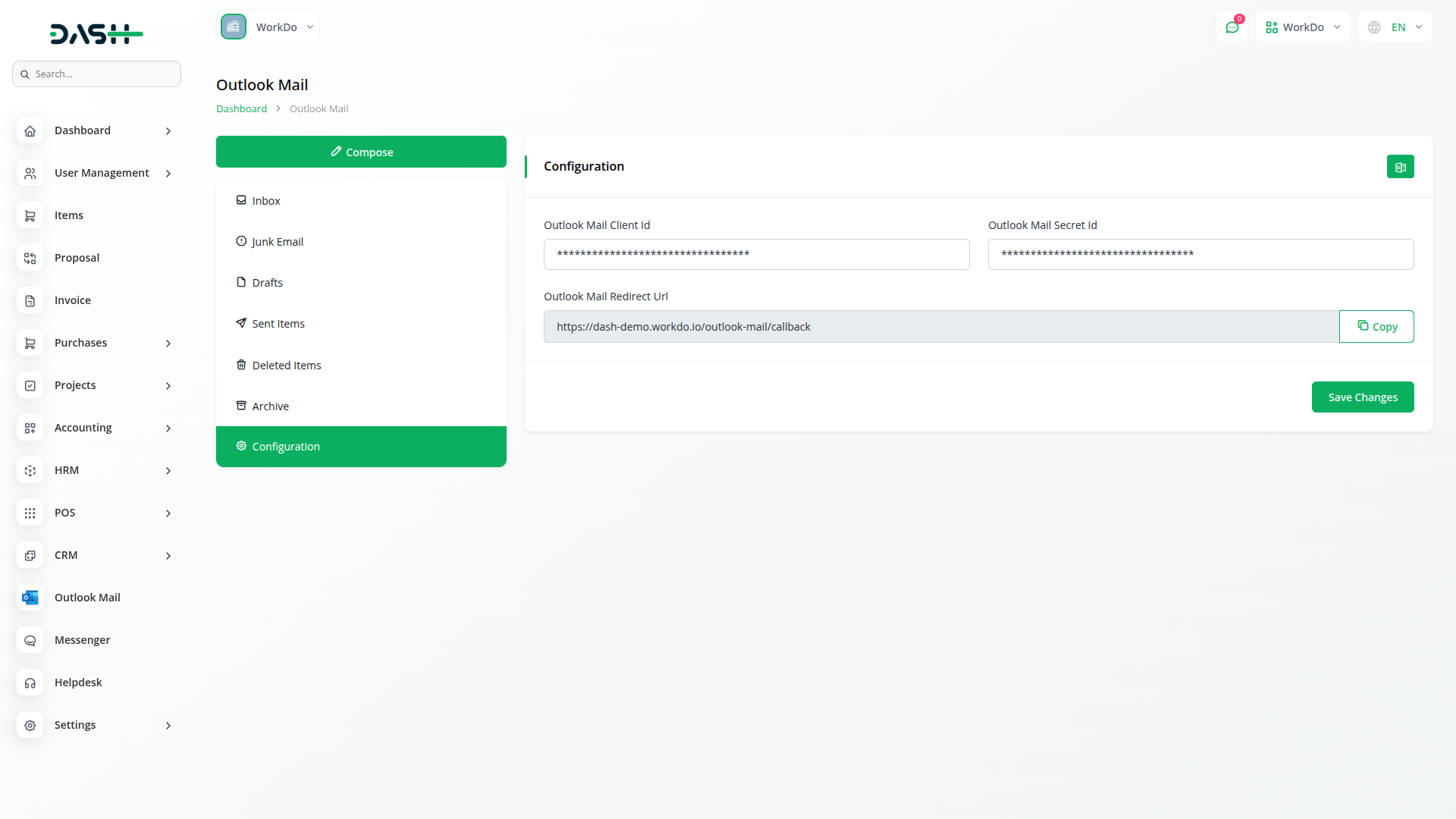
Setting up your Outlook Mail integration is straightforward with Azure portal connectivity. The system requires your Outlook Client ID and Secret ID to establish secure authentication. Simply navigate to the configuration section and input your credentials obtained from Azure registered application portal. The redirect URL must be properly configured in your Azure setup to ensure seamless token generation. Once credentials are saved, click the "Generate Token" button to sync your Outlook account and begin accessing your email data instantly.
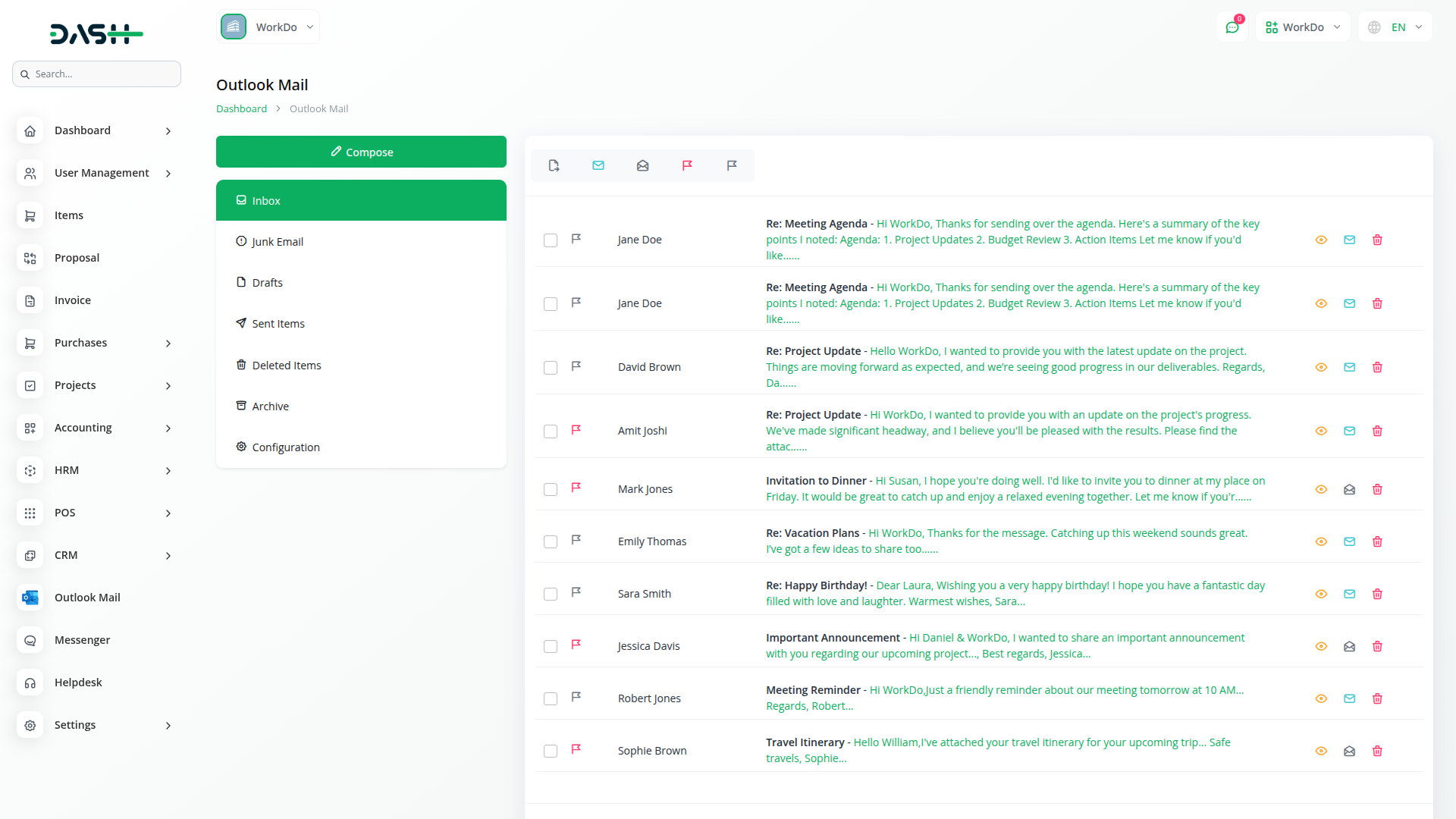
Access all your essential Outlook folders from a single interface, including Inbox, Junk Email, Drafts, Sent Items, Deleted Items, and Archive. The system fetches emails from each folder while maintaining the original folder structure and organisation. Users can seamlessly navigate between different folders to manage their complete email workflow. This comprehensive folder access ensures no important emails are missed, regardless of their current location. Perform essential email actions directly through the interface, including mark as read/unread, flag/unflag messages, move emails between folders, and delete unwanted messages.
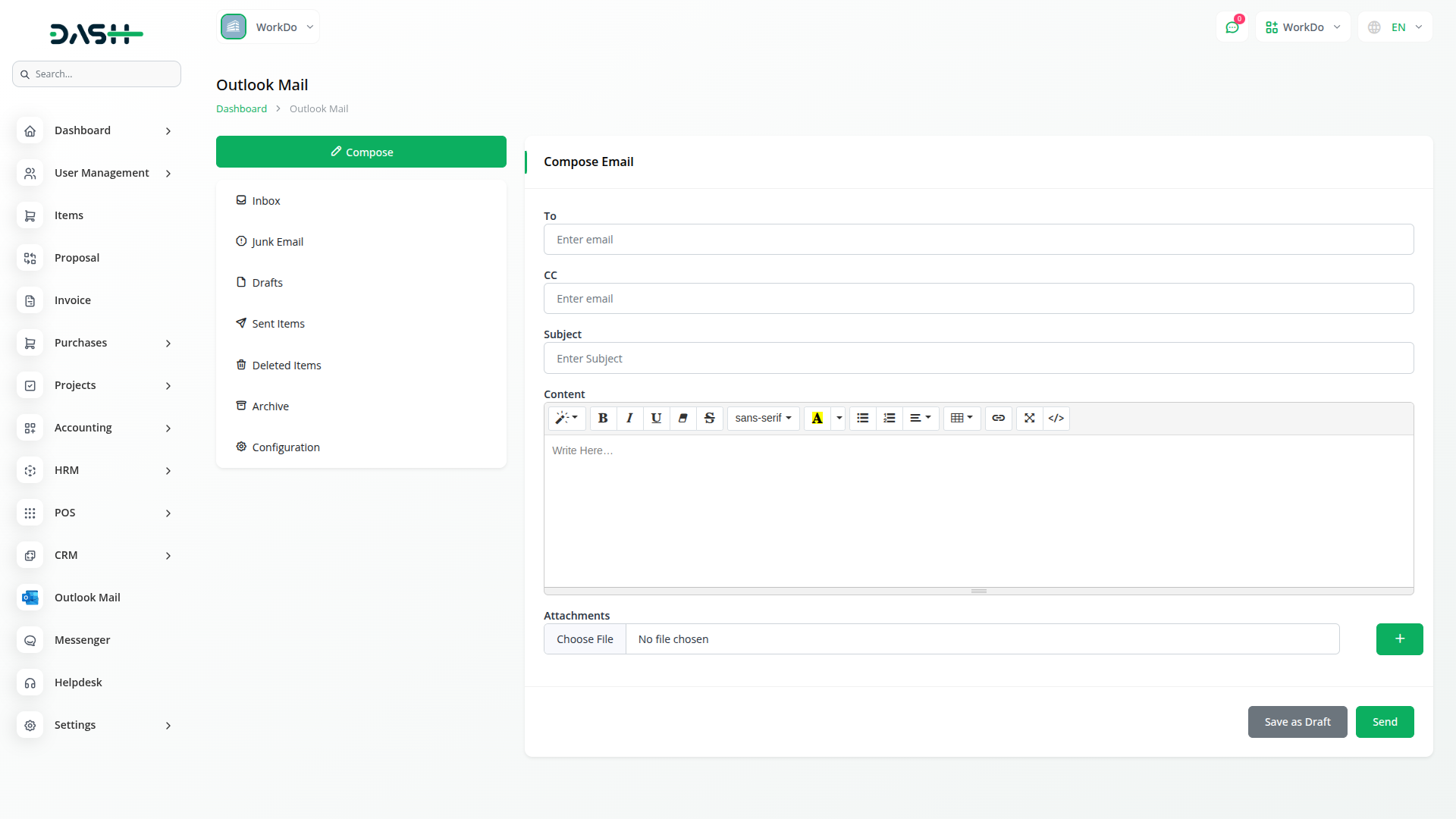
Create rich, formatted emails with full HTML support for professional communication. The compose interface includes fields for To, CC, Subject, and Content with advanced formatting options. Multiple file attachments are supported with easy upload and management features. Handle draft messages with specialised controls, including edit, send, and update functionality. The HTML editor provides formatting tools for creating visually appealing emails that maintain professional standards across different email clients.
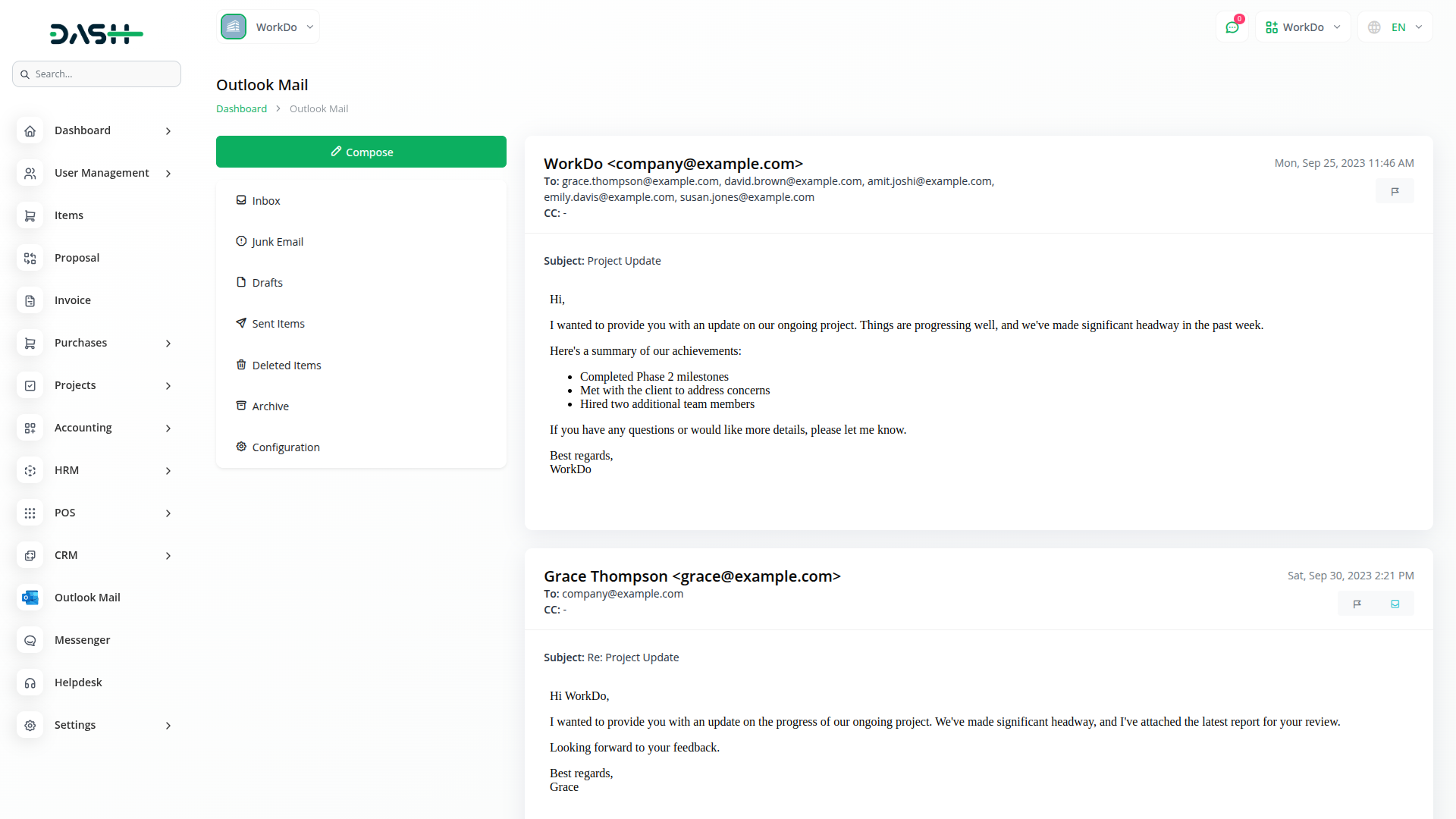
View entire email conversations in a threaded format for better context and communication tracking. Each conversation displays individual messages with the ability to perform specific actions on particular messages. Flag or unflag specific messages within conversations, move messages from Junk to Inbox when needed, and handle draft messages with dedicated controls. The conversation view maintains chronological order while providing action buttons for each message. Users can respond efficiently with the quick reply feature that maintains conversation context and supports reply-all functionality for group communications.
With Dash, you can conveniently manage all your business functions from a single location
Access over Premium Add-ons for Accounting, HR, Payments, Leads, Communication, Management, and more, all in one place!
With Dash, you can conveniently manage all your business functions from a single location


